
Quick answer
To cash out Bitcoin, choose where the money should land (a bank, PayPal, a card, a gift card or a cash pickup), send your BTC to a route that pays there, and get paid once the Bitcoin network confirms it. On $1,000 of BTC, a payout service like Zilligo leaves about $989 in a bank, $984 in PayPal or $979 on a virtual Visa. A Bitcoin ATM can leave $900 or less.




This guide follows one $1,000 of BTC through six routes and counts every dollar that goes missing on the way.
After that come the exact steps from any wallet, the network fee setting to pick, how long each payout takes and what to do when a payment stalls. Holding other coins as well? The crypto cashout guide covers all seven.
What does cashing out Bitcoin actually mean?
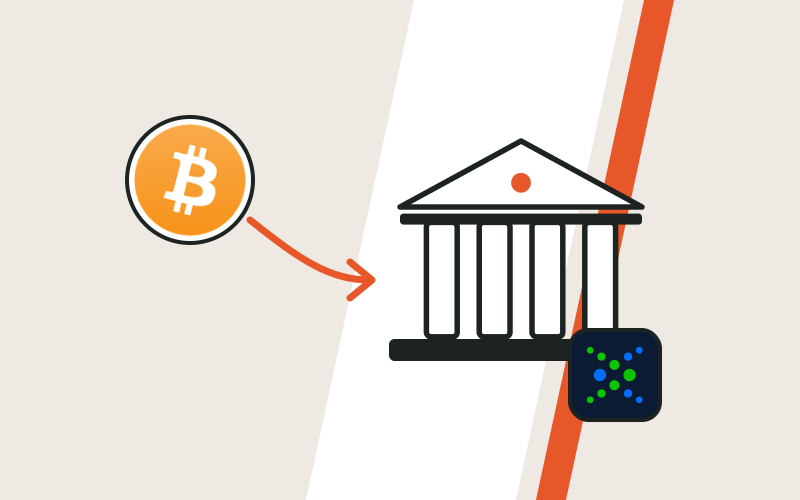
Cashing out Bitcoin means selling your BTC and getting spendable money back.
Cash rarely means paper. For most sellers it means a balance they can spend or move today.
Whichever route you choose, your money travels the same path:
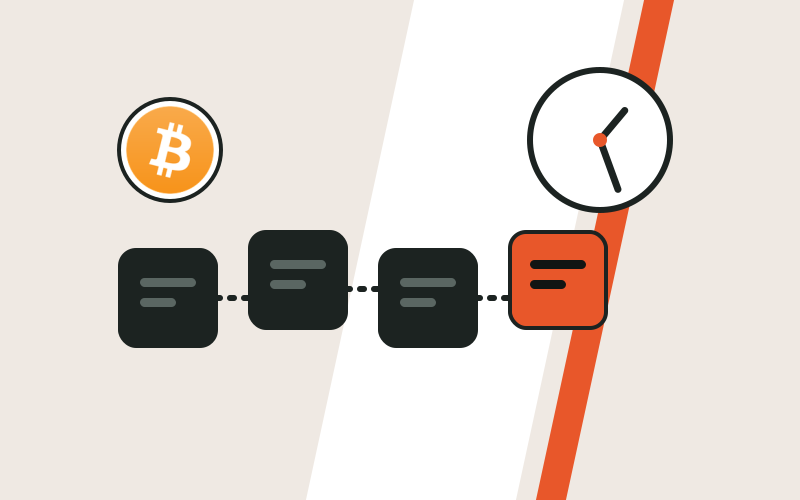
Bitcoin confirms more slowly than most coins, and its network fee climbs when blocks fill up. So the timing and the fee you choose count for more here than with Solana or USDT.
How Zilligo handles BTC, from the network it accepts to the decimals it rounds to, is on the Bitcoin page.
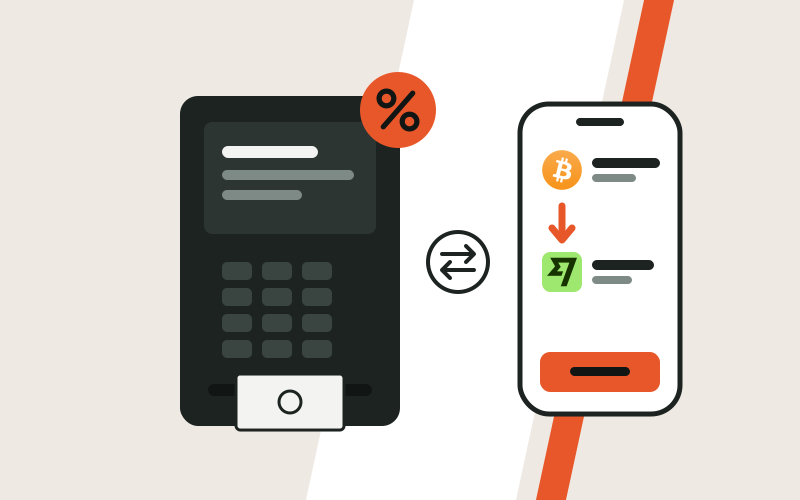
What are the 6 ways to cash out Bitcoin?
You can turn Bitcoin into money through a payout service, a crypto exchange, your wallet's Sell button, a peer-to-peer (P2P) buyer, a Bitcoin ATM or an over-the-counter (OTC) desk.
The price gap between them is huge:
Typical all-in cost of each route
Choose the payout, send BTC, get paid.
Deposit, sell, then withdraw to a bank.
A partner company buys from inside your wallet.
A stranger pays you, then you release the BTC.
Send BTC to a machine, collect notes.
A quoted price for a big block, paid by wire.
1. Payout service
You pick the payout first, send BTC to a one-time address, and the money goes out after the network confirms it.
Best when: you want PayPal, a bank, a card, a gift card or a cash pickup and would rather skip an exchange account.
Check first: that you are sending on-chain BTC. Zilligo accepts Bitcoin on the Bitcoin network only, so no Lightning payments and no wrapped BTC on other chains.
2. Crypto exchange
You deposit BTC, sell it for dollars or euros, then withdraw to a bank account in your own name.
Best when: you have already passed the exchange's ID check, or you trade there anyway.
Check first: which sell screen you use. The simple Sell button usually costs more than the advanced one. Selling Bitcoin on an exchange shows both, and Zilligo vs Coinbase compares the two approaches.
3. Your wallet's Sell button
Some wallet apps include a Sell button. A partner company buys the BTC and pays your bank or card.
Best when: your Bitcoin already sits in that wallet and the partner serves your country.
Check first: the partner's own sign-up, which usually includes ID, and a fee that only appears on the final screen.
4. P2P buyer
You sell to a person on a marketplace, who pays you by bank transfer or a money app.
Best when: you need a local payment method nothing else reaches.
Check first: the buyer's payment, which can be faked or pulled back after you release the coins. Paxful, once the biggest venue, shut down on 1 November 2025; Paxful alternatives covers what is left.
5. Bitcoin ATM
You send BTC to a machine that buys it, and it hands you banknotes.
Best when: you need paper money within the hour and a two-way machine is nearby.
Check first: the machine actually buys Bitcoin, since many only sell it. Then the price: Coincub's review puts the all-in cost at 10% to 25%. More in Bitcoin ATM vs payment service vs OTC desk.
6. OTC desk
A desk quotes one price for a large block of BTC and pays you by bank wire.
Best when: your amount is bigger than any single payout allows.
Check first: the desk's minimum, which is usually high, and its full identity checks.
| Route | To start | Typical cost | Typical speed | Where money lands |
|---|---|---|---|---|
| Zilligo | Free account, no ID documents | 1% to 2% plus network fee | Minutes for most payouts | Bank, PayPal and other apps, cards, gift cards, cash pickup |
| Exchange | Account and ID check | About 0.4% to 2%, plus any withdrawal fee | Hours to days | Your bank |
| Wallet Sell button | Partner account, usually with ID | Set by the partner | Varies by partner | Bank or card |
| P2P buyer | Marketplace account | Set by the buyer | Depends on the buyer | Whatever the buyer pays with |
| Bitcoin ATM | Rules set by the operator | 10% to 25% | Minutes, at the machine | Paper cash |
| OTC desk | Full identity checks | Quoted per trade | Same day to a few days | Bank wire |
Figures outside Zilligo are typical ranges and change often. Speeds count from the moment your Bitcoin confirms.
What does $1,000 of Bitcoin turn into on each route?
From $1,000 of Bitcoin, a bank payout leaves about $989, PayPal about $984 and a virtual Visa about $979. An exchange lands anywhere from about $984 to $995, and an ATM can leave $900 or less.
How the test works
$1,000 of BTC in a wallet you control.
$1 on every route. That is several times the October 2026 norm, so busy days are covered.
Zilligo from the fees page, exchange fees from Kraken's own fee schedule.
Spreads, P2P discounts and ATM markups are our estimates. Every provider sets its own.
What you end up with from $1,000 of Bitcoin
The striking part? The top six results sit within $16 of each other. Only the ATM drops far behind.
So on price alone, most routes are close. The real differences are sign-up, speed and where the money can go.
Route 1: Zilligo to a bank
Zilligo's fee sits on top of the payout, not inside the rate. So the math runs backwards from the BTC that arrives.
Example: The working: $1,000 of BTC to a bank at 1%
Check: $989.11 + $9.89 + $1.00 = $1,000.00. In practice you type the payout you want and the order shows the BTC to send; this runs the same sum the other way.
$1,000 of Bitcoin to a bank with Zilligo
- In your bank$989.11
- Zilligo fee, 1%$9.89
- Bitcoin network fee$1.00
- BTC you send$1,000
European banks get the money by SEPA, usually 1 to 2 hours after your BTC confirms. US banks get it by ACH or Chime in 1 to 2 business days. Wise pays in 40+ currencies, usually in minutes.
Routes 2 and 3: a virtual Visa or PayPal
Same sum, different fee. A virtual Visa at 2% gives $999.00 divided by 1.02 = $979.41, with a $19.59 fee. A first card also pays a one-time $10 issuing fee.
PayPal at 1.5% gives $984.24, with a $14.76 fee. That is about $5 more than the card leaves you, and the money can be sent to anyone or spent in apps. Cash App and Venmo cost the same 1.5%; a Western Union pickup costs 1.5% plus its transfer cost, shown in the quote.
Route 4: an exchange
First your BTC has to reach the exchange, which costs the same $1. After that, the screen you sell on decides the price.
$1,000 of Bitcoin through an exchange's simple Sell button
- In your bank$984.01
- Trading fee, 1%$9.99
- Spread in the price (estimate, 0.5%)$5.00
- Network fee to deposit$1.00
- BTC you start with$1,000
The advanced screen is cheaper. At the lowest volume tier, Kraken Pro charges 0.40% when your order waits on the book (maker) and 0.80% when it fills straight away (taker). As a maker, $999 becomes about $995.00.
That beats every payout above. The price is paid in setup: an ID check before your first sale, a limit order you place yourself, then a bank withdrawal that can take hours or days.
Route 5: a P2P buyer
A P2P buyer names the price. In our example the buyer pays 2% under the market, so $999 of BTC brings in $979.02, before any platform fee.
That 2% is an illustration, not a statistic. Buyers paying with a popular method often come close to the market price, while rare methods come with deeper discounts.
Route 6: a Bitcoin ATM
$1,000 of Bitcoin sold at an ATM
- Cash in your hand$899.10
- Sell fee (about 6%)$59.94
- Rate markup (estimate, 4%)$39.96
- Network fee$1.00
- BTC you send$1,000
The screen shows a fee, but the machine also buys your BTC below the market price. Only the two together tell you the real cost. Selling usually carries a lower fee than buying, according to Coincub, but the markup still applies.
| Route | What you pay | You end with | Speed after confirming |
|---|---|---|---|
| Exchange, advanced screen | 0.40% maker fee | $995.00 | Hours to days, including the withdrawal |
| Zilligo to a bank | 1% fee | $989.11 | SEPA 1 to 2 hours, ACH 1 to 2 business days |
| Zilligo to PayPal | 1.5% fee | $984.24 | Minutes |
| Exchange, simple Sell | 1% fee plus a spread | About $984 | Hours to days |
| Zilligo to a virtual Visa | 2% fee | $979.41 | Minutes |
| P2P buyer | Price set by the buyer | About $979 in our example | Depends on the buyer |
| Bitcoin ATM | Fee plus markup | About $899 or less | Minutes, at the machine |
Every route also pays the network fee, here $1. Exchange spread, P2P and ATM figures are estimates.
Which is the best way to cash out Bitcoin for you?
The best way to cash out Bitcoin is the route that lands the money where you will actually use it, in one hop. Every extra hop adds a wait and often a fee.
| If you want the money... | Pick | Fee | Speed after confirming | Most per order |
|---|---|---|---|---|
| In a European bank | SEPA transfer | 1% | About 1 to 2 hours | $15,000 |
| In a US bank | ACH or Chime | 1% | 1 to 2 business days | $15,000 (Chime $1,000) |
| In another currency | Wise | 1% | Minutes | $15,000 |
| To spend online | Virtual Visa | 2%, plus $10 on a first card | Minutes | $5,000 |
| In a money app | PayPal, Cash App or Venmo | 1.5% | Minutes | $5,000 (Cash App and Venmo $2,500) |
| In an e-wallet | Skrill, Neteller or Payoneer | 1.5% | Minutes (Payoneer same day) | $5,000 |
| For one store | Amazon, Apple, Google Play or Steam | 1.5% | Minutes | $1,000 Amazon, $500 the others |
| As cash for someone | Western Union or MoneyGram | 1.5% plus transfer cost | Same day | $5,000 |
Zilligo fees and limits. Minimums run from $50 to $1,000, by payout. All 22 payouts are on the fees and limits pages.
Want the full US bank walkthrough? Bitcoin to a bank account covers ACH and Chime. No bank at all? Cashing out with no bank account lists the options.
The costs that never look like a fee
The spread. Compare the price per BTC you are offered with a public chart at the same moment. If BTC trades at $80,000 and the quote pays $78,400, you lose 2% before any fee.
Withdrawal fees. Moving BTC off an exchange costs its own withdrawal fee, which can be higher than the real network fee. Taking dollars or euros out can cost extra too.
Costs after landing. A fast transfer from a money app to your bank can carry a charge, and a balance in the wrong currency is converted at the app's own rate.
The number in the advert
- One fee percentage, often the smallest cost
- A rate that looks like the market
- Silence about what happens after payout
The number that reaches you
- The fee plus any spread in the rate
- Minus the network or withdrawal fee
- Minus anything charged after it lands
Before you choose a route
- You know where the money has to end up.
- You have checked today's network fee in your wallet.
- Your amount fits the payout's limit.
- The receiving account is in your name and verified.
- You are comparing what lands, not the fee percentage.
How do you convert Bitcoin to cash, step by step?
With a payout service, converting Bitcoin to cash takes six steps. You need a free Zilligo account (a handle and a sign-in key, no email required) and your BTC.
- Step 1Choose the payout and amount
Pick where the money goes, such as PayPal or a US bank, and type what you want to receive. Orders start at $100 for PayPal and $1,000 for ACH.
- Step 2Enter the payout details
Only what that payout needs: a PayPal email, an IBAN, routing and account numbers, or the name of the person collecting cash.
- Step 3Read the quote
The order shows the fee, the rate and the exact BTC to send. From this moment the rate holds for 20 minutes.
- Step 4Send the exact BTC
Paste or scan the one-time address from your order and send the amount shown, on the Bitcoin network.
- Step 5Watch the status
Your order moves from "Waiting for your payment" to "Payment received, confirming" once the network sees your BTC, then to "Payout on its way" after it confirms.
- Step 6Get paid
The status turns to "Payout sent". Apps, cards and gift cards usually land within minutes; bank transfers take longer.
This is your order page while it waits for the BTC:
 0.00317188BTC on Bitcoin
- Send crypto
- Confirming
- Payout sent
Payout: $250.00 to your PayPal email
Now switch to your wallet. Its send screen should mirror your order:
BitcoinPick the suggested fee, not the lowest. A fee below the going rate can wait hours for a block.
Send
PayPalnow
You received $250.00Sent by Zilligo. Now in your balance.How do you send Bitcoin from an exchange, a phone wallet or a hardware wallet?
Where your BTC is stored changes only the screen you send from. Everything else in the steps above stays the same.
Choose Withdraw, not Sell, and pick the Bitcoin network.
Tap Send, paste the address, type the exact amount.
Start the send in its app, then check the address on the device.
From an exchange
Use Withdraw for BTC, not Sell. Selling would leave dollars on the exchange instead of sending coins to your order.
When it asks for a network, choose Bitcoin. Options such as BEP-20 or Lightning send something your order cannot receive.
From a phone wallet
Tap Send, paste the one-time address, type the exact amount and keep the fee your wallet suggests. The fee is added on top of what you type.
From a hardware wallet
Build the payment in the device's app, then read the address on the device's own screen and match it to your order before you approve. Malware on your computer cannot change that screen.
Which Bitcoin addresses can send?
Any address starting with bc1, 3 or 1 is a Bitcoin address, and all of them can pay your order. They differ in one way: how big, and so how costly, the payment is.
Size of the same simple payment, by the address you send from
Before you press Send, from anywhere
- The network is Bitcoin, not Lightning or BEP-20.
- The address was copied from your own order page.
- The first and last few characters still match after pasting.
- The BTC that will arrive equals the amount on your order.
How much is the Bitcoin network fee, and which setting should you pick?
In October 2026 a simple Bitcoin payment cost about 10 to 25 cents in network fees, because blocks were clearing at 1 to 2 sat/vB. On a busy day the same payment can cost several dollars.
What one simple Bitcoin payment costs at each fee rate
The fee depends on the payment's size and how full the blocks are, never on how much BTC you move. A $50 payment and a $50,000 payment cost the same.
The lowest setting
- Saves a few cents today
- Can wait hours if blocks fill up
- Your 20 minute rate may run out
The suggested setting
- Usually cents more
- Aims for the next block or two
- Your order moves on in 10 to 30 minutes
So which one? Take the setting your wallet suggests for the next block or two. The gap between slow and fast is cents on most days, while the gap in waiting time can be hours.
Example: $100 to an Amazon gift card, sent as BTC
Hypothetical. At 30 sat/vB on a busy day, the network part alone would be about $3.38, more than our fee.
How long does it take to turn Bitcoin into cash?
Usually 15 to 40 minutes to an app, a card or a gift card, about 1 to 2.5 hours to a European bank, and 1 to 2 business days to a US bank by ACH.
Any honest service waits for that confirmation before paying, so your total is two waits added together: the block, then the payout.
From BTC sent to money received
- Minute 0You create the order
The rate is held for 20 minutes. Status: Waiting for your payment.
- Minute 2You send the BTC
The network sees it. Status: Payment received, confirming.
- Minutes 10 to 30First confirmation
Typical with a suggested fee. A low fee can take hours.
- Right afterPayout goes out
Status: Payout on its way, then Payout sent.
- Minutes laterMoney in your PayPal
Or 1 to 2 business days for a US bank by ACH.
Payment stuck on a low fee? If your wallet supports replace-by-fee (RBF), raise the fee on the waiting payment and it should confirm sooner.
Large or unusual orders may also be reviewed by a person before they are paid, which adds time. The status then reads "On hold for review".
Timing matters for a second reason: Bitcoin's price moves while you wait. Your order holds its rate for 20 minutes. When to cash out Bitcoin looks at how big those swings get, and Bitcoin confirmation times breaks down every stage of the wait.
What if your Bitcoin cashout is stuck or delayed?
Nearly every delay has a plain cause, and most fix themselves or can be fixed. Find what you see in the left column:
| What you see | The usual cause | What to do |
|---|---|---|
| Still "Waiting for your payment" after you sent | The network has not seen your payment yet, or it went to another address | Check the transaction ID on a block explorer and compare the address with your order |
| "Payment received, confirming" for a long time | A fee below the going rate, so no block has taken it yet | Raise the fee with RBF if your wallet offers it, or wait; most clear on their own |
| "Expired", but you did send | The BTC arrived after the 20 minutes ran out | Write to support with your order reference; a payment within 24 hours can still be matched, at the rate when it is matched |
| Less BTC arrived than the order asked | An exchange took its fee from the amount | Contact support; we check what arrived and explain the options |
| "On hold for review" | A large or unusual order being checked by a person | Nothing to do; the page updates when it moves on |
| You sent over Lightning or another chain | Zilligo takes on-chain BTC only | Do not send again; contact support with the transaction ID |
| The bank returned the transfer | A wrong IBAN or account number, or a name mismatch | Contact support with the correct details |
Status names exactly as your order page shows them. Every status is explained on how it works.
When you write to support, include
- Your order reference
- The transaction ID (hash) from your wallet or exchange
- What you see, in one sentence
How do you cash out a large amount of Bitcoin?
With a large amount, the payout's limit matters more than its fee.
Largest single order, by payout
Bank payouts by SEPA, ACH and Wise take the largest single orders, all at 1%. The full list is on the limits page.
Here the flat network fee works in your favour: it stays the same whether you move $500 or $15,000, so on a big order it is a rounding error.
Big or unusual orders may be reviewed by a person before they are paid. Plan for the extra time if a deadline matters.
Beyond what one order allows, an OTC desk trades in a single block after full identity checks. Cashing out large amounts and Bitcoin ATM vs payment service vs OTC desk cover that route.
How do you avoid Bitcoin cashout scams?
To stay safe, never send BTC because someone told you to, use only the address on your own order page, and never share your seed phrase.
A Bitcoin payment cannot be reversed. That is exactly why scammers want you to send one. These three tricks come up most:
A caller posing as your bank, the police or a tax office says your savings are at risk and tells you to feed cash into a Bitcoin ATM. No real organisation asks this.
An account copying a real company writes to you first on Telegram or X and offers to sort out your order. Real support never wants your seed phrase or your screen.
Malware on your device replaces a copied address with the scammer's. Compare the first and last few characters every time you paste.
Before you send any Bitcoin
- The address came from your own order page, not a chat, an email or a call.
- Its first and last few characters still match after pasting.
- The company is named. Zilligo is run by Zilligo Payments LTD, registered in Mauritius, file C215482.
- You can see the fee and the payout before you send.
- Nobody is hurrying you or asking for your seed phrase.
Orders linked to fraud, scams or stolen funds can be refused. The common tricks, and how to spot each, are in crypto cashout scams; the wider safety habits are in is cashing out crypto safe?
Do you pay tax when you cash out Bitcoin?
In most countries, yes. Selling Bitcoin is usually a taxable event, so a gain since you bought it may be taxed.
Rules vary widely between countries. Treat this as general information, not tax advice, and check your local rules or ask an accountant.
Example: A simple gain, as an example
Hypothetical figures. How a gain is taxed depends on your country and can depend on how long you held the BTC.
Keep this for every Bitcoin cashout
- The date you sold and how much BTC
- What you paid for that BTC, and when
- The rate and the amount you received
- The order reference
US readers will find the official basics on the IRS digital assets page. The general rules are in crypto tax when you cash out.
Now it is your turn
On $1,000 of Bitcoin, the best and worst routes in this guide ended about $96 apart.
Most of that gap comes from one decision: whether you truly need banknotes right now.
So where should your BTC land? Pick that payout, read the quote, and you'll know the exact amount before a single satoshi moves.
Start a cashoutFrequently asked questions
What is the best way to cash out Bitcoin?
For most people, a payout service that sends the money straight where it will be spent: SEPA, ACH or Wise for a bank at 1%, PayPal at 1.5%, or a virtual Visa at 2%. A careful trade on an exchange's advanced screen can cost a little less, after an ID check.
Can I get paper cash for Bitcoin without an ATM?
Yes. Choose a Western Union or MoneyGram payout and the money is collected at an agent counter, usually the same day, for 1.5% plus their transfer cost, shown in your quote. The person collecting normally shows ID under the agent's own rules.
Can I send Bitcoin straight from an exchange?
Yes. Use Withdraw, pick the Bitcoin network and paste the address from your order. If the exchange takes its withdrawal fee from the amount, add it on so the full BTC arrives.
Can I cash out Bitcoin over Lightning?
Not with Zilligo. Orders accept on-chain BTC on the Bitcoin network only, so send a normal Bitcoin payment rather than a Lightning one.
Do I need ID to cash out Bitcoin?
Not for a standard Zilligo order, which does not collect identity documents. Exchanges and OTC desks require ID, and ATM operators set their own rules. See cashing out crypto without KYC.
Can I cancel a Bitcoin cashout?
Yes, before you send the BTC: the order page has a cancel button. Once the BTC is sent, the payment cannot be pulled back, so check the address and amount first.
Do the results change for $500 or $5,000?
The order of the routes stays roughly the same, because the percentage fees grow with the amount. The flat network fee weighs a little more on $500 and almost nothing on $5,000. Check each payout's limit as well.
Should I swap Bitcoin to USDT before cashing out?
Usually not. A swap adds a step and its own costs. It can help if you want to stop Bitcoin's price moving while you wait, since USDT stays near $1. See the USDT guide.
Sources
- Frequently asked questionsBitcoin.org
- Transaction size calculatorBitcoin Optech
- Replace-by-fee (RBF)Bitcoin Optech
- Bitcoin transaction fees explainedOneMiners
- Fee scheduleKraken
- The truth about Bitcoin ATM feesCoincub
- Paxful to wind down operations by November 1, 2025Bitcoin.com News
- Digital assetsIRS