
Quick answer
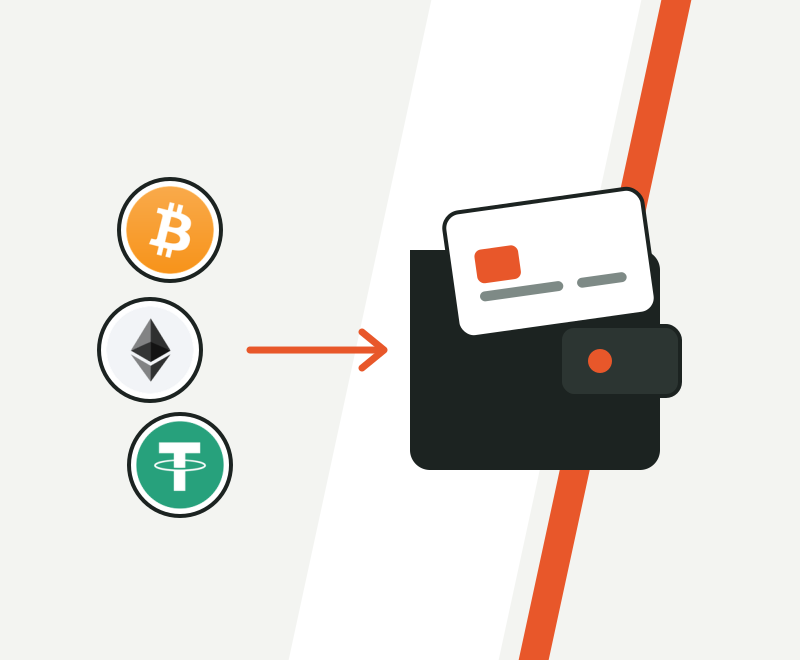
To cash out crypto, decide where the money should land (a bank, PayPal, a card, a gift card or cash), then sell your coins through a route that pays out there: a payout service, an exchange, your wallet's sell button, a P2P buyer or a Bitcoin ATM. A payout service like Zilligo takes minutes and costs 1% to 2% plus your coin's network cost; Bitcoin ATMs often cost 10% to 20%.






This guide starts from the destination and works backwards.
You'll see the 5 ways to cash out side by side, with real fees and real timings, the exact steps from an exchange, a phone wallet or a hardware wallet, and what to do when a cashout gets stuck.
What does cashing out crypto actually involve?
Cashing out is selling crypto and receiving ordinary money for it.
Moving coins between your own wallets is not cashing out. Nothing is sold, so nothing becomes money.
Every real cashout has the same three moves, whatever the route:
So what makes one route better than another? Four things: what it costs, how long it takes, what you need to sign up, and where it can send the money.
What are the 5 ways to cash out crypto?
There are five ways to turn crypto into money: a payout service, a crypto exchange, your wallet's sell button, a peer-to-peer (P2P) buyer or a Bitcoin ATM.
Their costs are not even close:
Typical all-in cost of each route
Pick where the money goes, send, get paid.
Deposit, sell, withdraw to your bank.
A partner inside your wallet buys the coins.
A person pays you, you release the coins.
Send Bitcoin, take paper cash.
1. Payout service
You choose the destination first, send your coins to a one-time address, and the service pays the money out.
Use it when: you want the money in PayPal, a bank, a card, a gift card or a cash pickup, without opening an exchange account.
Watch out for: the coin list. Zilligo takes 7 coins and pays out to 22 destinations; anything else needs another route.
2. Crypto exchange
You deposit coins on an exchange, sell them, then withdraw to a bank account in your name.
Use it when: you already have a verified account, or you also want to trade.
Watch out for: three separate steps, an ID check before the first one, and withdrawal options that change by country. Compare Zilligo vs Coinbase and Zilligo vs Binance.
3. Your wallet's sell button
Many phone wallets have a "Sell" button. Behind it, a partner company buys your coins and pays your bank or card.
Use it when: your coins sit in that wallet and the partner pays out where you live.
Watch out for: the partner's own account and ID check, and a fee that is only shown at the last step. Read the quote before you confirm.
4. P2P buyer
You sell to another person on a marketplace, who pays you by bank transfer, mobile money or an app.
Use it when: you need a local method nothing else reaches.
Watch out for: fake payment screenshots and reversed payments. The best-known marketplace, Paxful, closed on 1 November 2025; see Paxful alternatives.
5. Bitcoin ATM
You send Bitcoin to a machine and it dispenses cash.
Use it when: you need paper money within the hour and a machine is close.
Watch out for: the price. With the fee and the rate markup together, ATMs often cost 10% to 20% or more. Details in Bitcoin ATM vs payment service vs OTC desk.
| Route | To start | Typical cost | Typical speed | Where money lands |
|---|---|---|---|---|
| Zilligo | Free account, no ID documents | 1% to 2% plus network cost | Minutes for most payouts | Bank, PayPal and other apps, cards, gift cards, cash pickup |
| Exchange | Account and ID check | About 0.5% to 2.5% plus withdrawal fees | Hours to days | Your bank, by country |
| Wallet sell button | Partner account, usually an ID check | Set by the partner, shown at the end | Varies by partner | Bank or card |
| P2P buyer | Marketplace account | Set by the buyer | Depends on the buyer | Whatever the buyer uses |
| Bitcoin ATM | Set by the operator | 10% to 20% or more | Minutes, at the machine | Paper cash |
Third-party figures are typical ranges and change often.
How do you cash out crypto, step by step?
Here's the full process with a payout service. It's identical for every coin.
- Step 1Pick the payout
Choose where the money goes: PayPal, a bank, a virtual Visa, a gift card, phone credit or cash pickup. Type the amount you want to receive.
- Step 2Add the payout details
Only what that payout needs: a PayPal email, an IBAN, a US routing and account number, a phone number or the name of the person collecting cash.
- Step 3Read the quote
Your order shows our fee, the rate and the exact crypto to send. From here the rate holds for 20 minutes.
- Step 4Send the exact amount
Send it to the one-time address on your order, on the network your order names. XRP also needs the destination tag shown.
- Step 5Wait for the network
Your order page moves to "Payment received, confirming" as soon as the network sees the coins, then to "Payout on its way" once they confirm.
- Step 6Get paid
The payout goes out. Wallets, cards and gift cards usually land in minutes; bank transfers take longer.
 507.50USDT on Tron (TRC-20)
- Send crypto
- Confirming
- Payout sent
Payout: $500.00 to your PayPal email
Tron (TRC-20)Check the network matches your order before you send.
Send
PayPalnow
You received $500.00From Zilligo. Available in your balance.How do you cash out from an exchange, a phone wallet or a hardware wallet?
Where your coins sit today only changes one screen: the one you send from. The rest of the steps stay the same.
Use Withdraw, not Sell. Paste your order's address and pick its network.
Use Send. Paste the address, pick the network, type the exact amount.
Send from its app, then check the address on the device's own screen before you approve.
From an exchange
Choose Withdraw (or Send) for the coin, not Sell. Selling on the exchange would turn it into a balance there instead of sending the coin to your order.
Exchanges often take their own withdrawal fee out of the amount you type. If yours does, add that fee so the full amount on your order arrives.
From a phone wallet
Tap Send, paste the one-time address, pick the network your order shows and type the exact amount. Your wallet adds the network fee on top.
From a hardware wallet
Start the send in the device's app, then compare the address on the device's screen with the one on your order before you approve. That screen can't be changed by malware on your computer.
Before you press Send, from anywhere
- The network matches your order (TRC-20 is not ERC-20).
- The address was copied from your own order page.
- The amount arriving equals the amount on your order.
- For XRP, the destination tag is filled in.
Where can the money land, and which payout should you pick?
Pick the payout where you'll actually spend the money. Every extra hop, like PayPal first and your bank later, adds time and sometimes another fee.
| If you want the money... | Pick | Fee | Speed after confirming |
|---|---|---|---|
| In a European bank | SEPA transfer | 1% | About 1 to 2 hours |
| In a US bank | ACH or Chime | 1% | 1 to 2 business days |
| To spend online anywhere | Virtual Visa | 2% | Minutes |
| In an app | PayPal, Cash App, Wise | 1% to 1.5% | Minutes |
| For one store | Amazon, Apple, Steam gift cards | 1.5% | Minutes |
| As cash for family | Western Union or MoneyGram | 1.5% | Same day |
| On someone's phone | Mobile top-up | 1% | Minutes |
No bank account? PayPal, cards, gift cards and cash pickup all work without one. See cashing out with no bank account.
Two hops
- Crypto to PayPal, then PayPal to your bank
- Two waits
- Can mean two fees
One hop
- Crypto straight to your bank by SEPA or ACH
- One wait
- One 1% fee
Before you pick a payout
- It is where you will actually spend the money.
- Your receiving account is verified and can take the amount.
- The name on the account matches the name you will enter.
- The payout's limit covers your amount (see limits).
How much does it cost to cash out crypto?
A cashout can carry three costs: the service fee, the network fee for moving your coin, and a rate markup some services hide inside the price.
Here's how a $1,000 PayPal cashout splits up:
Where every dollar goes on a $1,000 PayPal cashout
- Reaches your PayPal$1,000
- Zilligo fee, 1.5%$15
- Tron network costabout $3
- Worth of USDT you sendabout $1,018
1. The service fee
Zilligo charges a single fee of 1% to 2%, set by the payout, and adds it on top so the payout arrives in full. Western Union and MoneyGram add their own transfer cost, and a first virtual Visa a $10 issuing fee, each shown in the quote. All 22 are on the fees page.
2. The network fee
Each blockchain charges to move coins. The fee depends on the coin, not on how much you send:
Typical cost to send each coin, in US dollars
3. The rate markup
Some services advertise zero fees and pay you a worse rate instead. Zilligo adds no spread, so the fee on your order is the whole price.
A hidden spread
- Advertised as zero fees
- You get a worse rate than the market
- You can't see what you paid
A fee on top
- One fee, shown in the quote
- The market rate, no markup
- You know the full price before you send
Example: $500 to a virtual Visa, sent as Solana
A first card adds a one-time $10 issuing fee. The same $500 at a Bitcoin ATM charging 15% would cost about $75.
More ways to keep costs down: the cheapest way to cash out crypto.
How long does it take to cash out crypto?
Most cashouts take a few minutes to a couple of hours. US bank transfers by ACH take 1 to 2 business days.
The total is always two waits added together:
- Confirmation: how long the network takes to confirm your coins.
- Payout: how long the payout takes to land once they're confirmed.
From coins sent to money received
Typical confirmation time, in minutes
Every way to speed it up is in the fastest way to cash out crypto.
What if your cashout is stuck or delayed?
Most delays have a simple cause, and most can be fixed. Here are the ones that come up again and again:
| What you see | The usual cause | What to do |
|---|---|---|
| Order still says Waiting for your payment | The network hasn't confirmed yet, often a low Bitcoin fee | Check the transaction on a block explorer; most clear on their own |
| The 20 minutes ran out mid-send | Coins arrived after the rate expired | Contact support with your order reference; a payment within 24 hours can still be matched |
| You sent a different amount | An exchange took its fee from the amount | Contact support; we check what arrived and explain your options |
| You picked the wrong network | TRC-20 and ERC-20 look alike | Read sent USDT on the wrong network before doing anything else |
| Exchange withdrawal on hold | A security hold after a password or address change | Wait for the hold or ask the exchange; create the order once it lifts |
| PayPal shows the payment as pending | PayPal reviewing a new incoming payment | It usually clears by itself; your order page shows our side |
| The bank returned the transfer | A wrong IBAN or account number, or a name mismatch | Contact support with the right details |
The fixes that come up most often.
Every order status is explained on how it works.
When you contact support, include
- Your order reference
- The transaction ID (hash) from your wallet or exchange
- What you see, in one sentence
How do you cash out a large amount of crypto?
For large amounts, the payout's limit matters more than the fee.
Largest single order, by payout
Every payout's limit is on the limits page.
Bank payouts by SEPA, ACH and Wise take the biggest single orders, at 1%. For more than one order covers, split it, or contact us first.
Unusually large or unusual orders can be reviewed by a person before they're paid, which can add time. Plan for it if a deadline matters.
OTC desks handle very large trades privately; see Bitcoin ATM vs payment service vs OTC desk and cashing out large amounts.
How do you cash out crypto safely?
Safe cashouts come down to three habits: use a named company with clear fees, send only to the address on your own order page, and never share your seed phrase or passwords.
The 4-point check
- The company is named. Zilligo is run by Zilligo Payments LTD, registered in Mauritius, file C215482.
- The price shows before you send. No fee shown, no deal.
- The address comes from your own order page, never from a chat or an email.
- Nobody asks for your seed phrase, passwords or screen.
A scammer
- Messages you first
- Sends you an address in chat
- Asks for your seed phrase or remote access
- Rushes you
Real support
- Waits for you to reach out
- Points you to your own order page
- Never asks for your wallet keys or seed phrase
- Gives you time
Every Zilligo order is checked by a person before it's paid. More in is cashing out crypto safe?
Do you pay tax when you cash out crypto?
In most countries, yes. Selling or spending crypto is usually a taxable event, and a gain can be taxed.
Rules differ a lot by country, so treat this as general information, not tax advice.
Keep this for every cashout
- The date and the coin you sold
- What you paid for it originally
- The rate and the amount you received
The basics are in crypto tax when you cash out.
Now it is your turn
You've seen all five routes, what each one costs and how long it takes.
Now go back to the first question: where should the money land?
Pick that payout, get a quote, and you'll see the exact amount before a single coin moves.
Start a cashoutFrequently asked questions
What is the easiest way to cash out crypto?
A payout service: choose where the money goes, send your coins and get paid, after a free account set up in a minute. Zilligo pays out to 22 destinations, from PayPal to cash pickup.
Can I cash out crypto without an exchange account?
Yes. A payout service like Zilligo needs a free account but no ID documents for a standard order, only the details your payout needs. More in cash out crypto without KYC.
Can I cash out crypto from a hardware wallet?
Yes. Send from the device's app to your order's address, and check the address on the device's own screen before you approve.
What is the minimum and maximum I can cash out?
Zilligo orders start at $50 for gift cards, phone credit and Chime, and at $100 or more for other payouts. The maximum depends on the payout, from $300 for phone top-ups to $15,000 for SEPA, ACH and Wise. See limits.
Which coins can I cash out?
Bitcoin, Ethereum, USDT on Tron or Ethereum, BNB, Solana, XRP and Monero. See accepted coins.
Can I cash out crypto to a bank account?
Yes. SEPA for European banks, ACH or Chime for US banks, and Wise, Revolut, Monzo or N26, all at a 1% fee.
What is the cheapest way to cash out crypto?
A bank payout at 1%, such as SEPA, ACH or Wise, sent with a coin that costs little to move, such as Solana or XRP. Wallets, gift cards and cash pickup cost 1.5%, and the virtual Visa 2%.
Why is my cashout taking so long?
Usually the network hasn't confirmed your coins yet (often a low Bitcoin fee), or the payout is a bank transfer that takes longer. Your order page shows which step it's on.