
 Crypto to Venmo
Get your crypto into Venmo as dollars.
To cash out crypto to Venmo, choose Venmo, type your @username and the dollars you want, then send the coins on your order page from any wallet or exchange. Once they confirm, we pay your Venmo balance, usually within minutes. The fee is 1.5%, orders go from $100 to $2,500, and you can pay with coins Venmo does not support, like USDT.
- Zilligo fee, 1.5%
- $7.50
- Network fee
- Paid by your wallet
- Usually arrives
- Minutes
An estimate at today's price. Your order page fixes the exact amount for 20 minutes.
- Inside your quote
- 1.5%
- After your coins confirm
- Minutes
- Per order
- $100 to $2.5k
- You need
- Venmo username
In plain words
Crypto you hold elsewhere, as dollars you can split
Venmo is where a lot of Americans settle small debts: a dinner, a share of rent, a ride home. Dollars in Venmo are easy to pass on, which makes it a handy place to land crypto you actually want to use.
Venmo has a crypto tab, but it covers a short list: Bitcoin, Ethereum, Litecoin, Bitcoin Cash, Solana, Chainlink and PayPal USD. Using it means verifying your identity with Venmo, moving the coins in, and paying a fee to sell. USDT, XRP, BNB and Monero cannot go in at all.
With us, you skip that. You send the coin you have to your order address, and we pay dollars to your @username, like a friend paying you back. We never ask for your Venmo password and never connect to your account.
 Zilligo pays your @usernameYour Venmo balance
Venmo's own crypto
Why not sell crypto inside Venmo?
Venmo lets verified US users buy, sell and transfer a few coins. That suits coins already in Venmo. It is a longer road for anything you hold elsewhere.
Venmo's crypto tab
- A short list of coins, with no USDT, XRP, BNB or Monero
- ID verification and a personal profile first
- Selling costs 1.5% to 2.2%, depending on the amount
- Simple when the coins already sit in Venmo
 Zilligo to Venmo
- Seven coins, USDT on Tron included
- Send from any wallet or exchange you use
- 1.5% on any amount, inside your quote
- No ID check to start a cashout
Three steps
How to send crypto to Venmo
Three steps after a free account. All we need from Venmo is your username.
- 1Pay out toVenmo@theo-marshYou get$250.00
Type your @username and amount
Choose how many dollars you want and enter your Venmo username. The quote shows what you send and what lands.
- 2
 253.75 USDTTQx7...9fKpW2Rate locked 14:32
Send the coins on your order page
Copy the address, network and amount into your wallet. The quote holds for 20 minutes while you send.
- 3VenmonowYou received $250.00From Zilligo
Venmo shows the payment
When your coins confirm, we pay your @username, and Venmo lets you know it arrived.
Before you begin
Four things to have ready
A US Venmo account
A personal profile receives payments from friends for free.
Your @username
It sits under your name in the Venmo app and points to only you.
Any of seven coins
USDT, BTC, ETH, SOL, XRP, BNB or XMR, from a wallet or exchange.
Your privacy setting
Choose Private in Venmo if you want payouts kept off the feed.
Spend it
What your Venmo dollars can do
Pay with the Venmo Debit Card
Spend the balance wherever Mastercard is accepted.
Move it to your bank
Free by standard transfer, typically 1 to 3 business days.
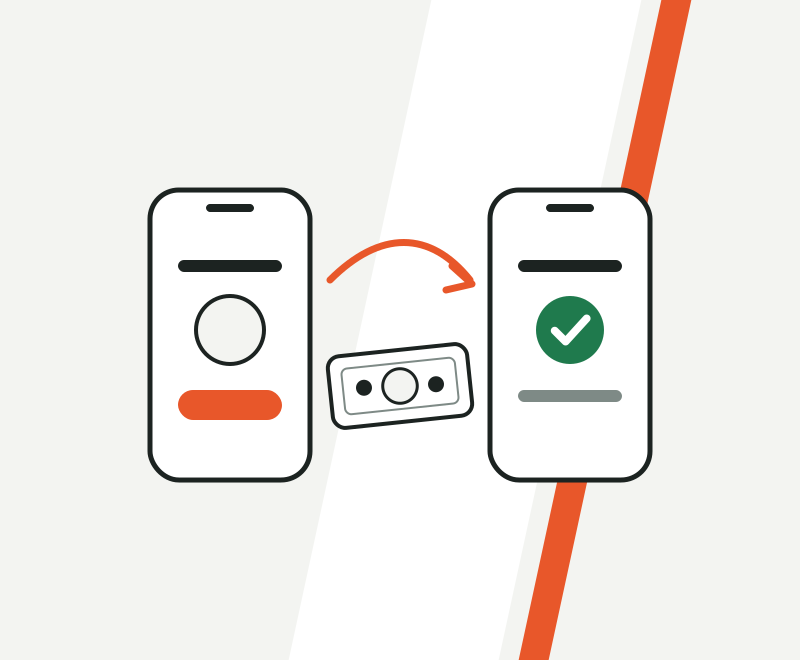
Fee and speed
1.5%, and minutes once your coins confirm
One fee, already inside your quote, with nothing tucked into the rate. Your coin decides most of the wait.
Example
Network costs are separate: a fraction of a cent on Solana or XRP, roughly $2 to $4 for USDT on Tron.
Our pick for Venmo: USDT on Tron. Venmo cannot hold it, its value stays at a dollar while it confirms, and the network fee is usually about $2 to $4.
USDTBest pickNetworkTRC-20 (Tron)Usually arrives1 to 3 minNetwork costVery lowVenmo holds itNo SolanaNetworkSolanaUsually arrivesUnder 1 minNetwork costVery lowVenmo holds itYes
 EthereumNetworkEthereumUsually arrives1 to 5 minNetwork costVariesVenmo holds itYes
 BitcoinNetworkBitcoinUsually arrives10 to 30 minNetwork costVariesVenmo holds itYes
 XRPNetworkXRP LedgerUsually arrivesUnder 1 minNetwork costVery lowVenmo holds itNoUSDTNetworkERC-20 (Ethereum)Usually arrives2 to 5 minNetwork costHigherVenmo holds itNo
 BNBNetworkBNB Smart ChainUsually arrivesAbout 1 minNetwork costLowVenmo holds itNo
 MoneroNetworkMoneroUsually arrivesAbout 20 minNetwork costLowVenmo holds itNo
How long each coin takes to confirm. The last column shows which ones Venmo can hold itself.
Venmo's side
What Venmo charges after the money lands
Our 1.5% is one part of the cost. Venmo has its own fees, and they depend on your profile type and how you move money out.
Venmo sets these fees and can change them. Check the fee page in your Venmo app for current numbers.
- Personal profile, payment from a friend
- Free to receive
- Business profile
- 1.9% + $0.10 per payment
- Standard transfer to your bank
- Free, typically 1 to 3 business days
- Faster transfer to your bank
- 1.75%, from $0.25 to $25
- Zilligo per order
- $100 to $2,500
Venmo fees and our limitSmooth payouts
Five checks for a clean Venmo payout
- 1
Copy your @username from your profile
Many Venmo names look alike. One wrong character pays a stranger.
- 2
Use a personal profile
A business profile pays Venmo a fee on each payment it receives.
- 3
Set your payments to Private
Do it in Venmo's privacy settings, so payouts stay off the feed.
- 4
Send one coin on one network
Exactly the coin, network and amount your order shows.
- 5
Send within 20 minutes
That keeps the rate you were quoted.
Need help?
Venmo payout problems, sorted
I typed the wrong username
Contact support straight away with your order reference. While the payout is still waiting, we can switch it to the right @username.
The payout showed in my feed
Edit that payment's privacy in Venmo, then set your default to Private so later payouts stay hidden.
Venmo is reviewing the payment
Venmo sometimes checks payments to newer accounts. That review happens on Venmo's side, and your order page shows our status.
My coins are still confirming
Bitcoin can take half an hour or more when the network is busy. Your order page updates by itself once they confirm.
Ways to do it
Crypto into Venmo, three ways
Paying through us, selling inside Venmo, or going through an exchange and your bank.
How do I cash out crypto to Venmo?
Choose Venmo, enter your @username and the dollars you want, then send the coins shown on your order page. We pay your Venmo once they confirm.
Can I send crypto straight to Venmo?
Only the coins Venmo supports, and only after you verify your identity with Venmo. They arrive as crypto, so you still sell them in the app to get dollars. With us, the money lands as dollars.
Can I send USDT to Venmo?
No, Venmo does not support USDT. Send your USDT to your Zilligo order and we pay the dollar value to your Venmo.
Username, phone number or email?
Your @username. It points to exactly one Venmo account, so it is the safest way to pay you.
How long does crypto to Venmo take?
The payout usually goes out within minutes of your coins confirming. Tron, Solana and XRP confirm in about a minute; Bitcoin usually takes 10 to 30 minutes.
What does it cost?
Our fee is 1.5%, already in your quote, plus your coin's network cost. On $250 that is $3.75 to us. A personal Venmo profile receives payments from friends for free.
How much can I send to Venmo per order?
From $100 up to $2,500. For more in one go, ACH reaches $15,000 per order at 1%, from a $1,000 minimum.
Can you pay a Venmo business profile?
Yes, but Venmo charges business profiles a fee on each payment they receive, so a personal profile keeps more of the money.
Will other people see the payment?
That depends on your Venmo privacy setting. With Private selected, the payout stays between you and us.
Do I need a Zilligo account?
Yes, a free one, set up in about a minute. After that we only need your @username. There is no ID check to start a cashout.
Does it work outside the US?
No. Venmo is for US accounts only. Abroad, PayPal or Wise are better picks.
Is a Venmo cashout taxable?
Turning crypto into dollars usually counts as selling it, which can be taxable. This is general information, not tax advice: keep your order reference, date and amount.
Similar US payouts
 Cash App
 PayPal
 Chime
 ACH Transfer
Countries where it leads
Ready when you are
Your @username, your dollars
Choose a coin, send it, and your Venmo gets paid. You see the exact amount before you commit.
Orders from $50 on gift cards and top-ups, $100 on most payouts. Nothing moves until you send.
- 1Pick a payoutBank transfer, PayPal and other wallets, a card, a gift card or cash pickup.
- 2Send your coinsTo the one-time address on your order, before the 20 minute timer runs out.
- 3Get paidMost payouts arrive within minutes of your coins confirming.